Automatic AI Image & Video B-Roll GenerationDirectly within Premiere
Save hours of searching for stock footage. Generate unique, contextual B-roll in moments with AI-powered automation.
How it Works - Video Overview
Massive Time Saver
Stop wasting hours searching stock sites. Generate unique content in moments.
Contextually Smart
AI analyzes your audio and generates B-roll that matches your narrative perfectly.
Totally Unique
Every piece of content is AI-generated and unique to your project.
Automatic B-Roll Generation
Five simple steps to transform your timeline
Select Your Narration Audio
Highlight the audio track you want to generate B-roll for
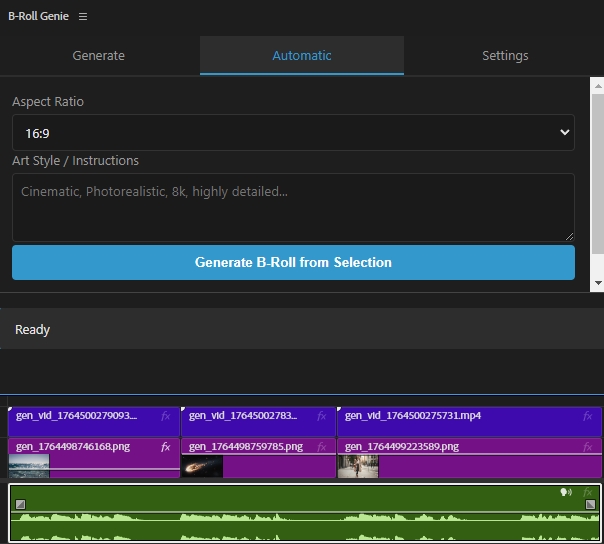
Click "Generate B-Roll"
One simple click to start the magic
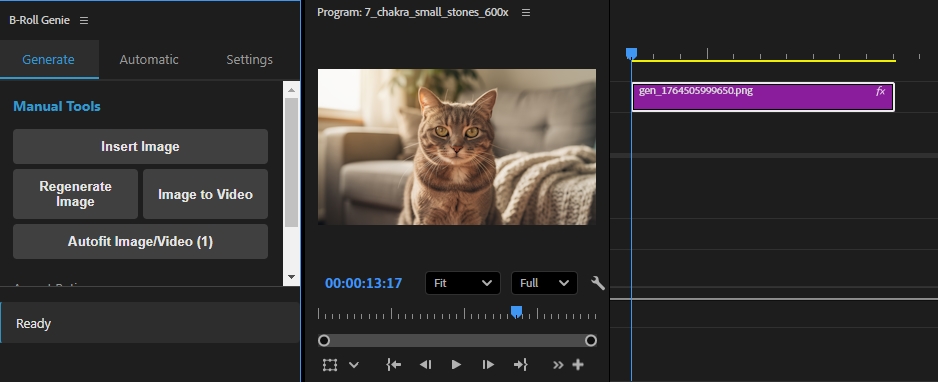
AI Analyzes & Generates
Your audio is analyzed and images are contextually generated along the timeline to match your narrative timing
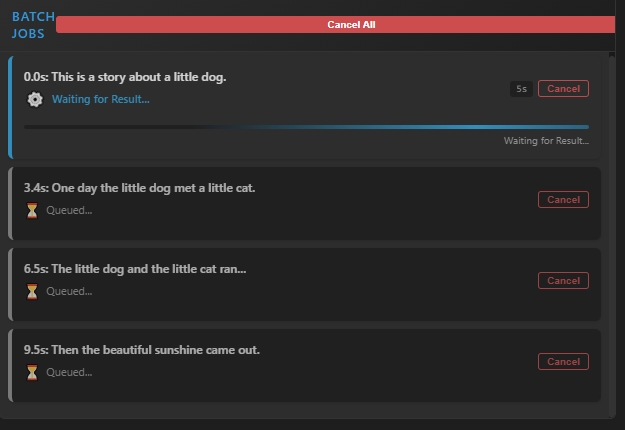
Transform Images to Videos
Optional: Convert any or all generated images into dynamic video clips
Manually Generate Images
Just click the position in your timeline and quickly generate any image
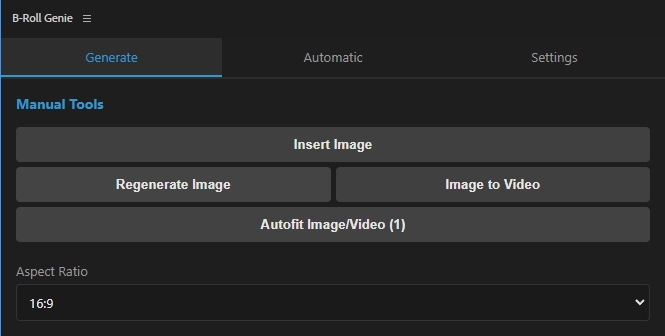
Powerful Manual Controls
Full creative control when you need it
Generate Image in Timeline
Select any point in your timeline and click "Insert Image" to generate any image on the fly directly in your timeline.
Convert Image to Video
Click any image in your timeline, provide prompt instructions, and a new video clip appears above your image layer.
Regenerate Any Image
Not happy with an image? Select it, click Regenerate, provide new instructions, and it will be quickly swapped.
No Waits - Batch Queue
Queue multiple image or video generation jobs simultaneously. No need to wait for one to complete before starting another.
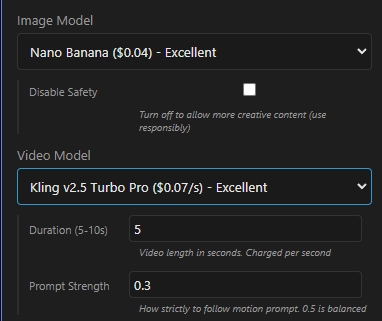
Choose Your AI Models
Premium models at rock-bottom API pricing
Image Models
- Gemini 2.5 (Nano Banana)
- Seedream 4.0
- Flux 1.1 Pro - Flux 2 Pro
- Dreamshaper
- and More!
Video Models
- Kling 2.5 TurboThe best quality
- Wan 2.2Cheap and good for the price
- Kling 1.6Mid-price great results
No Markup on AI Usage
B-Roll Genie doesn't charge extra for AI model usage. You pay rock-bottom API prices directly to Replicate and OpenAI. You only pay for what you use.
Image Generation Cost
$0.003 - $0.05
per image
- Premium Models (Nano Banana, Seedream, Flux)~$0.03-0.04
- Mid-Range (Minimax)~$0.01
- Budget (Dreamshaper)~$0.003
Video Generation Cost
$0.01 - $0.07
per second of video
- Premium (Kling 2.5 Turbo)~$0.07/sec
- Mid-Range (Kling 1.6)~$0.05/sec
- Budget (Wan 2.2)~$0.01/sec
Setup: Simply grab API keys from Replicate and OpenAI, plug them into B-Roll Genie settings, and you're ready. All model prices are clearly displayed so you can choose what fits your budget.
Simple, Transparent Pricing
One price. Unlimited updates. Forever.
B-Roll Genie Extension
Save $100 - Limited Time Only!
- Unlimited updates
- Direct API pricing (no markup)
- Priority support
- Satisfaction refund guarantee!
Need help getting started?
View Full Tutorial & Setup Guide →